
How to Track Job Applications: A Simple System That Works
You apply for one job on Monday, three more on Tuesday, and by Friday you can barely remember where you applied.
Which resume did you send?
Did the company ever respond?
When were you supposed to follow up?
Was that marketing role the one with the second interview?
If your job search is starting to feel like a collection of browser tabs, emails, and half-remembered applications, you need a system.
Learning how to track job applications doesn't have to mean building a complicated database. A simple tracker can show you where you applied, what stage you're at, what you submitted, and what you need to do next.
Here's a simple system you can start using today.
Why Should You Track Your Job Applications?
When you're applying for several jobs at once, it's easy to lose important details.
You might apply twice for the same position, forget to follow up, miss an interview email, or struggle to remember what you told a recruiter.
A job application tracker gives you one place to keep those details.
More importantly, it helps you see your job search as a process rather than a long list of applications.
You can see:
- Which jobs you've applied for
- Which applications are still active
- Which companies have contacted you
- When you should follow up
- Which applications led to interviews
- Which types of jobs are getting the most responses
What Should You Track for Every Application?
You don't need 30 columns.
Start with the information you'll actually use.
A simple job application tracker should include:
The next step column is particularly useful.
Instead of opening your tracker and thinking, "What do I do with this application?", you should be able to see something like:
"Marketing Specialist, Follow up Thursday"
or
"Product Designer, Prepare for second interview"
That turns your tracker from a list into a working system.
How to Track Job Applications in a Spreadsheet
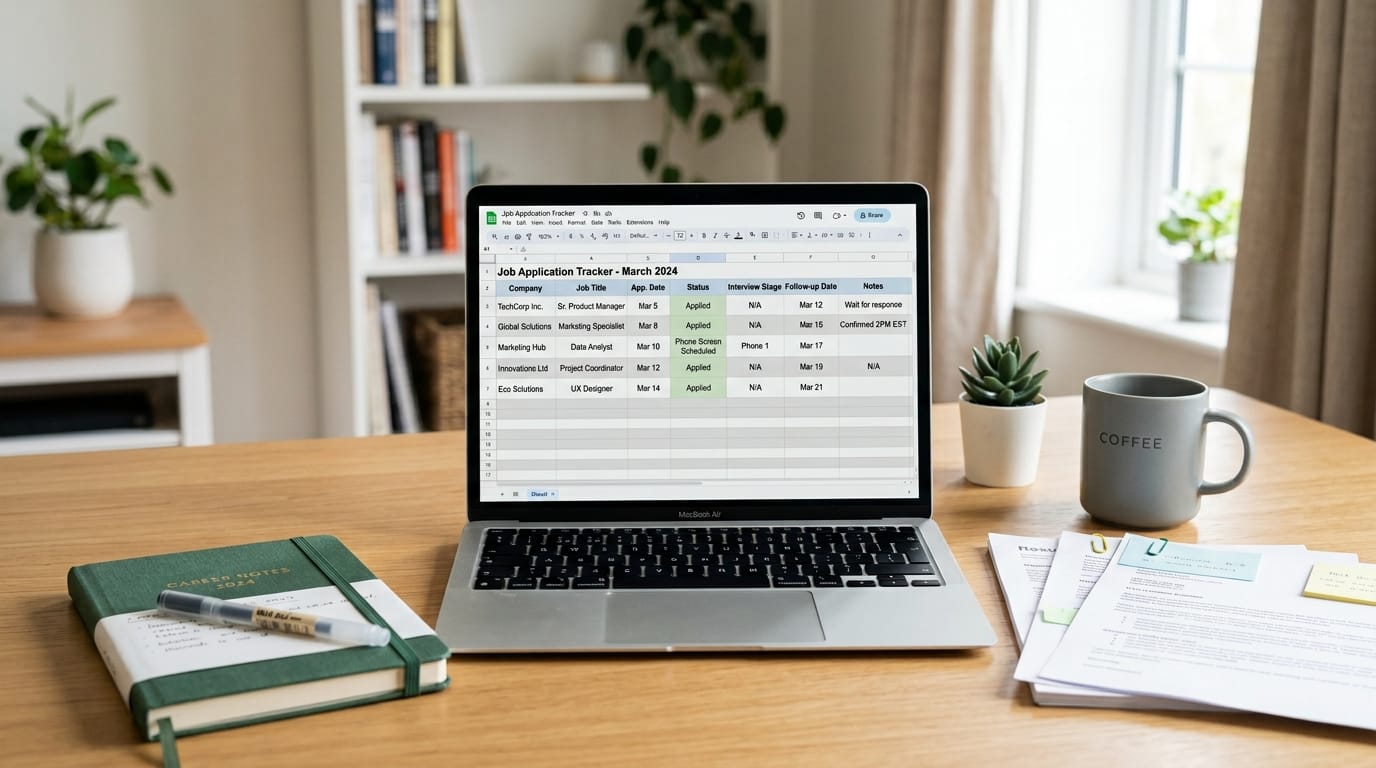
A spreadsheet is probably the easiest place to start.
You can use Google Sheets, Excel, or another spreadsheet tool you're comfortable with.
Create one row for every application.
For example:
You can also use simple labels or colours to make different stages easier to spot.
Don't spend hours designing the perfect spreadsheet, though.
The best job application tracker is the one you'll actually update.
According to Columbia University's Center for Career Education, maintaining clear organization and structured tracking throughout your job search allows candidates to outline required steps, monitor progress, and measure outcomes effectively across all outreach.
Update Your Tracker Immediately After Applying
This is where many tracking systems fail.
Someone applies for a job and thinks:
"I'll add it to my spreadsheet later."
Then later becomes tomorrow. Tomorrow becomes next week. Eventually, the application disappears into your email history.
Instead, spend one or two minutes updating your tracker immediately after you apply.
Record:
- The company
- The exact job title
- The application date
- The job link
- The resume version you used
- The current status
- Any follow-up date
- Any important notes
This is especially important when you're tailoring your resume for different roles.
If you're using Preplink.ai to tailor your resume for different roles, record which version you submitted for each application.
That way, if a recruiter contacts you two weeks later, you don't have to guess which version they received.
Keep Track of Your Application Status
Don't leave every application marked simply as "Applied."
Create a few clear stages.
For example:
Saved → Applied → Screening → Interview → Final Interview → Offer → Rejected
You can add other stages if they make sense for your search, such as "Assessment" or "On hold."
The point isn't to create the perfect list of statuses.
The point is to know where each opportunity currently stands.
If ten applications are sitting in "Applied," for example, you immediately know which ones may need your attention.
Read What Does ‘Application Under Review’ Mean? What Happens Next?
Set a Follow-Up Date
One of the biggest benefits of tracking applications is knowing when to follow up.
Don't rely on memory.
If the employer gives you a specific timeline, record it.
For example:
"We'll get back to you within two weeks."
Your tracker should then have a follow-up date based on that timeline.
If no timeframe is provided, you can set a reasonable reminder and reassess the situation before contacting the employer.
The important thing is that the follow-up date lives in your system, rather than in your head.
Read How to Follow Up on a Job Application Without Sounding Desperate
Save the Job Description You Applied For
Job postings can change or disappear.
That's why it's useful to save the job description, or at least the important details, when you apply.
Keep the:
- Job requirements
- Responsibilities
- Key skills
- Salary information, if listed
- Location
- Application deadline
This becomes particularly useful when you're invited to an interview several weeks after applying.
Instead of trying to remember what attracted you to the role, you can review the original requirements and prepare accordingly.
Review Your Job Search Once a Week
You don't need to stare at your tracker every hour.
Set aside 20–30 minutes once a week to review it.
Ask yourself:
How many applications did I submit?
How many employers responded?
How many moved me to an interview?
Which types of roles are getting the best response?
Do I have applications that need follow-up?
Am I applying for the right types of roles?
This review can tell you much more than simply counting how many applications you've submitted.
For example, if you've sent 40 applications but only two resulted in interviews, the answer may not be to send another 40.
You may need to look at your targeting, resume, or the types of roles you're applying for.
That's where Preplink.ai's Resume Scan can be useful. You can review your resume, identify areas that need improvement, and make changes before continuing with another batch of applications.
What If You're Applying to Dozens of Jobs?
The more applications you submit, the more valuable a tracking system becomes.
But you can also reduce the amount of manual work involved.
For example, Preplink's Job Board lets you search for opportunities in one place, while Auto-Apply can help you discover and apply to roles that match your preferences faster, just swipe to apply or skip.
If you're applying at scale, however, don't let automation become an excuse to stop tracking.
You still want to know which opportunities you've pursued and what happens afterward.
Common Job Application Tracking Mistakes
Avoid these five mistakes:
1. Tracking only the company and job title
That isn't enough. Save the application date, job link, status and next step too.
2. Waiting until the end of the week to update your tracker
Details are much easier to record immediately after applying.
3. Forgetting which resume you submitted
Keep track of the exact version used for each application.
4. Having no follow-up system
A tracker without follow-up dates is just a list.
5. Tracking applications but never reviewing the results
Your tracker should help you understand what's working in your job search.
Final Thoughts
You don't need a complicated system to track job applications.
A simple spreadsheet with the right information can help you remember where you applied, keep up with follow-ups, prepare for interviews, and understand what's happening across your job search.
The key is consistency.
Record each application when you submit it. Update the status when something changes. Add your next action. Then review your tracker every week.
Once your job search gets busy, you shouldn't have to ask yourself, "Wait, did I already apply for that job?"
Your tracker should already have the answer.